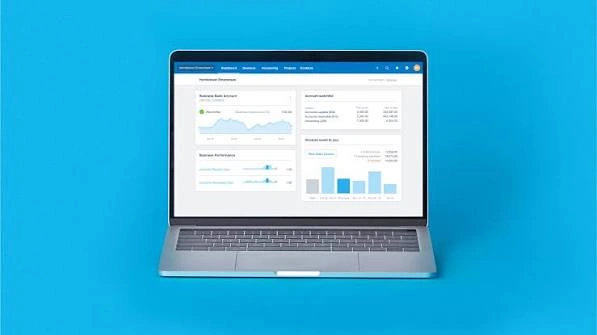
Xero bookkeeping is the process of recording, organizing, checking, and reporting business finances using Xero accounting software. It can mean doing the work yourself inside Xero, or hiring a bookkeeper who manages the work for you.
Xero connects with business bank accounts, imports transactions, supports invoicing and bills, stores financial documents, and produces financial reports. Features such as bank feeds and automated matching can reduce manual data entry, but transactions still need to be reviewed.
This guide explains how bookkeeping in Xero works, which tasks you need to manage, how to set up Xero with or without professional help, and where automation can save time. It also covers Xero bookkeeping service costs, what a good provider should include, and how Xero compares with QuickBooks and DIY bookkeeping.
What Is Xero Bookkeeping
Xero is accounting software, while bookkeeping is the process of keeping financial records accurate and up to date.
Xero provides the system used to record and organize financial information. Bookkeeping is the work performed inside that system. That work can include reconciling bank transactions, categorizing income and expenses, recording bills, sending invoices, reviewing accounts receivable, and preparing financial reports.
Xero is designed for cloud based accounting, so financial information can be accessed through supported computers and mobile devices. Business owners can also invite accountants, bookkeepers, and other users with appropriate permissions.
The distinction matters because buying Xero does not automatically mean the bookkeeping is complete. The software can import transactions and suggest matches, but someone still needs to decide whether transactions are recorded correctly.
A business can therefore use Xero for bookkeeping in two ways. The owner or internal team can handle the work, or an external Xero bookkeeping service can manage some or all of the process.
How Xero Works for Bookkeeping
Xero brings transaction data into one cloud based accounting system. Bank feeds, invoices, bills, expenses, and other financial information can then be used to keep business records current.
Bank feeds and real time data
Xero can connect supported bank and credit card accounts so transactions flow into the accounting system automatically. Xero can suggest matches between bank transactions and existing records, which reduces the amount of manual entry required.
The important point is that imported data still needs review. A bank feed tells Xero that money moved. It does not always tell Xero why the money moved or which account should receive the transaction.
Regular reconciliation helps keep the accounting records aligned with bank activity and gives the business a more reliable view of cash flow.
Cloud access across devices
Xero runs online, allowing authorized users to access the organization from a computer, phone, or tablet. This can be useful when a business owner needs to send an invoice, check a balance, or review transactions away from the office.
Cloud access also makes collaboration easier because a bookkeeper or accountant can work in the same organization without relying on emailed spreadsheets.
Role based permissions
Xero allows organizations to give users different levels of access. A business owner can invite a bookkeeper, accountant, employee, or other team member and assign an appropriate role.
This helps separate routine bookkeeping work from tasks that require higher access.
Core Bookkeeping Tasks You Actually Do in Xero
Xero bookkeeping involves more than connecting a bank account. The quality of the financial records depends on how transactions are classified, checked, and reconciled.
Bank reconciliation
Bank reconciliation is one of the most important recurring tasks. It involves comparing transactions imported from a bank with transactions recorded in Xero and confirming that they belong together.
Xero can suggest matches and apply bank rules to recurring transactions. A bookkeeper reviews those suggestions and deals with exceptions instead of accepting every match automatically.
Regular reconciliation also makes it easier to identify missing entries, duplicate transactions, unusual payments, or incorrect amounts.
Chart of accounts setup and categorization
The chart of accounts determines how income, expenses, assets, liabilities, and other transactions are organized. Xero provides default accounts, but businesses can review and customize the chart to fit their operations.
Good categorization matters because financial reports depend on it. Recording a software subscription as office supplies, for example, may not change the bank balance, but it can make expense reporting less useful.
Invoicing and accounts receivable
Xero can be used to create and send customer invoices, track amounts owed, and monitor payments. Payment terms can be configured so invoices have appropriate due dates.
Bookkeeping also means checking that customer payments are recorded against the correct invoices. Unpaid invoices should be reviewed so accounts receivable does not contain old balances that have already been settled.
Bills and accounts payable
Bills record money the business owes to suppliers and contractors. Xero supports bill entry, document uploads, and online bill payments in supported plans and workflows.
The bookkeeping task is not simply entering a bill. The bill should have the correct supplier, amount, date, account category, and tax treatment before it is included in the records.
Expense and receipt tracking
Business expenses need supporting documentation and accurate categories. Xero includes document capture through Hubdoc, which can help reduce manual receipt and document entry.
A bookkeeper can review captured documents against transactions and identify expenses that need clarification.
Payroll
Payroll is an area where the exact setup depends on the business and location. In the US, Xero Payroll is powered by Gusto and is available as an optional add-on. Xero also provides W-9 and 1099 management features in its US plans.
Businesses should confirm that their payroll workflow meets applicable federal, state, and local requirements.
Financial reports
Financial reports turn bookkeeping records into information that a business can use. Xero provides reports such as profit and loss and cash flow information, with reporting and dashboard features varying by plan.
A bookkeeper should review reports for unusual balances and classification issues rather than treating report generation as the final step.
How to Set Up Xero Bookkeeping With or Without Support
Setting up Xero correctly at the beginning can prevent cleanup work later. The main setup involves business details, the chart of accounts, opening balances, bank connections, tax settings, users, and the workflows used for invoices and bills.
Setup steps if doing it yourself
Start by creating the Xero organization and entering the correct business and financial details. Review the default chart of accounts and adjust it where necessary.
Next, connect business bank and credit card accounts. If a direct bank connection is not available, Xero also supports importing transaction data in supported formats.
Set the conversion date and opening balances when required. These figures provide the starting point for the accounting records and help ensure that reports and bank balances line up with the real business accounts.
Then configure sales tax settings, invoice templates, payment terms, bill workflows, and user access. Once the basic setup is complete, begin reconciling transactions and reviewing reports regularly.
What changes when a bookkeeper or accountant sets it up for you
Professional support changes who makes the setup decisions and checks the initial records. A bookkeeper can review the chart of accounts, opening balances, bank connections, transaction categories, and reconciliation process before regular bookkeeping begins.
This can be useful when a business is moving from spreadsheets or another accounting platform. Xero also provides migration and setup support, while its advisor directory can help businesses find accountants and bookkeepers familiar with the platform.
The key benefit is not simply getting the software running. It is starting with accounting settings and records that match how the business actually operates.
How to Reduce Manual Bookkeeping in Xero
The easiest way to reduce manual bookkeeping in Xero is to automate repetitive transactions while keeping a person responsible for review.
Bank rules can automatically apply consistent treatment to recurring transactions. For example, a recurring software payment can be assigned to the same expense account instead of being categorized from scratch each time. Xero also supports suggested matches during reconciliation.
Recurring invoices and bills can reduce repeated data entry for transactions that follow a predictable schedule. Document capture through Hubdoc can also reduce the need to manually enter information from receipts and other documents.
App integrations can extend this workflow. Xero states that its platform connects with more than 1,000 certified apps covering areas such as payments, expenses, inventory, and other business functions.
Automation should not mean automatic approval of everything. Bank feed exceptions, unusual transactions, new suppliers, refunds, transfers, owner transactions, and unclear expenses may require human review.
A useful approach is to automate transactions that are predictable and review transactions that are unusual. This keeps repetitive work low without allowing an incorrect rule or match to spread across multiple months.
What Should a Xero Bookkeeping Service Include
A good Xero bookkeeping service should provide more than transaction entry. Use the following checklist when comparing providers.
- Monthly reconciliation: Bank and credit card accounts should be reconciled on an agreed schedule rather than left until tax season.
- Categorization review: Transactions should be checked for correct account categories, tax treatment, and unusual entries.
- Financial statement delivery: The service should provide agreed reports such as profit and loss and balance sheet reports, with cash flow information where appropriate.
- Tax ready books: Records should be organized so the accountant or tax preparer can work from clean, supported financial information. A bookkeeping provider should be clear about where bookkeeping ends and tax preparation begins.
- Direct communication: You should know who handles questions, how often communication happens, and what information the bookkeeper needs from you.
- Year end handoff: The provider should have a clear process for working with the tax preparer at year end and resolving outstanding bookkeeping issues.
The provider should also explain what is included in the monthly fee. Transaction volume, number of accounts, payroll, bill processing, cleanup work, reporting, and catch-up bookkeeping can affect the amount of work required.
For example, 210 Tax & Accounting Solutions can be evaluated against this same checklist before a business commits to ongoing Xero bookkeeping.
Xero Bookkeeping vs Doing It Yourself vs QuickBooks
The better option depends on how much bookkeeping work the owner can handle, how complex the records are, and whether professional review is needed.
Xero software has a recurring subscription cost, while DIY bookkeeping mainly adds the owners time investment. A bookkeeping service adds a professional fee but can reduce the amount of bookkeeping work handled internally.
For US customers, Xero currently lists regular monthly prices of $25 for Early, $55 for Growing, and $90 for Established. Xero has announced that these prices will increase to $27, $59, and $97 respectively on October 1, 2026. Optional add-ons can create additional costs.
| Option | Cost | Time investment | Accuracy risk | Best for |
|---|---|---|---|---|
| DIY in Xero | Software subscription | Higher owner time | Depends on bookkeeping knowledge and review | Owners with straightforward records who want direct control |
| Xero plus a bookkeeping service | Software subscription plus service fee | Lower owner time | Lower when the provider has strong review processes | Businesses that want Xero but do not want to manage daily bookkeeping |
| QuickBooks | Software subscription plus optional professional service | Depends on workflow | Depends on setup and review | Businesses already using QuickBooks or needing its specific ecosystem |
There is no universal winner in Xero accounting vs QuickBooks. Xero currently highlights unlimited users on its plans, more than 1,000 connected apps, bank reconciliation, Hubdoc, and cloud access, while QuickBooks has its own plan structure and ecosystem.
The right choice should be based on workflow, required features, user access, integrations, and the availability of bookkeeping support.
Common Mistakes People Make Bookkeeping in Xero
The most common problems are usually caused by incorrect setup or skipped reviews rather than a lack of software features.
Miscategorizing transactions can distort financial reports. If expenses are repeatedly assigned to the wrong account, profit and loss information becomes harder to use.
Skipping monthly reconciliation allows errors to remain hidden. Bank feeds can import transactions, but the records still need to be matched and reviewed.
Mixing personal and business expenses makes bookkeeping harder and can create problems when financial records need to be reviewed. Business owners should keep business spending separate whenever possible.
Ignoring bank feed exceptions can leave transactions unreconciled or cause incorrect matches. An exception is a signal to investigate, not simply something to dismiss.
Not customizing the chart of accounts can also create poor reporting. Xero provides default accounts, but the chart should reflect the actual needs of the business. Xero specifically recommends reviewing and customizing the chart of accounts as part of setup.
These issues are easier to catch when bookkeeping is reviewed consistently instead of being left until the end of the year.
Xero Bookkeeping Guides and Resources
If you are searching for a how to use Xero for bookkeeping PDF, start with official Xero resources rather than relying on an outdated third party guide.
Xero Central is the official support resource and includes how to articles, troubleshooting information, product guidance, learning resources, and ways to contact support.
Xero also provides guides, accounting resources, templates, calculators, and product specific learning material through its resource center.
For setup questions, the official Xero Central guide covers areas such as organization settings, opening balances, chart of accounts, invoices, bills, bank reconciliation, users, tax settings, and mobile access.
If a PDF guide is not available for the exact task you need, the current online Xero Central documentation is generally the better reference because software features and instructions can change.
Frequently Asked Questions
Is Xero good for small business bookkeeping
Yes. Xero is designed for small businesses and combines bookkeeping functions with invoicing, bill management, reporting, bank connections, and app integrations. The right plan depends on the features and transaction volume required by the business.
How much does Xero bookkeeping cost
There are two separate costs to consider: the Xero subscription and the fee charged by a bookkeeping provider. In the US, Xero regular subscription pricing is currently $25, $55, and $90 per month for Early, Growing, and Established, with announced increases beginning October 1, 2026.
Do I still need a bookkeeper if I use Xero
Not necessarily. A business owner can manage bookkeeping directly in Xero, but professional help can be useful when transactions become more complex, records need cleanup, or the owner does not have time to maintain the books. Xero itself says businesses do not need an accountant to use the software.
Xero accounting vs QuickBooks for bookkeeping, which is better
Neither platform is automatically better for every business. Xero may suit businesses that value unlimited users, cloud access, bank reconciliation, Hubdoc, and a broad app ecosystem, while QuickBooks may be a better fit for businesses already established in its workflow.
Can I do my own bookkeeping in Xero
Yes. Xero is designed so business owners can manage routine financial tasks themselves. You can also invite an accountant or bookkeeper when you need help with setup, reconciliation, reporting, cleanup, or more complex accounting work.
What is Xero used for besides bookkeeping
Xero can support invoicing, bill management, online payments, cash flow monitoring, expense tracking, reporting, payroll through Gusto in the US, and connections with business apps. The available features depend on the plan and connected services.
Conclusion
Xero bookkeeping gives small businesses a structured way to record transactions, reconcile bank activity, manage invoices and bills, and review financial performance. The software can reduce manual work, but accurate records still depend on correct setup and regular human review.
For simple businesses, DIY bookkeeping in Xero may be practical. As transaction volume or complexity grows, professional support can make the process easier to maintain.
If you want your Xero records kept current without managing the bookkeeping yourself, contact 210 Tax & Accounting Solutions to discuss a bookkeeping service built around regular reconciliation, accurate categorization, clear reporting, and tax ready records.